How to Use a UGC Video Generator With a Better Reference Library
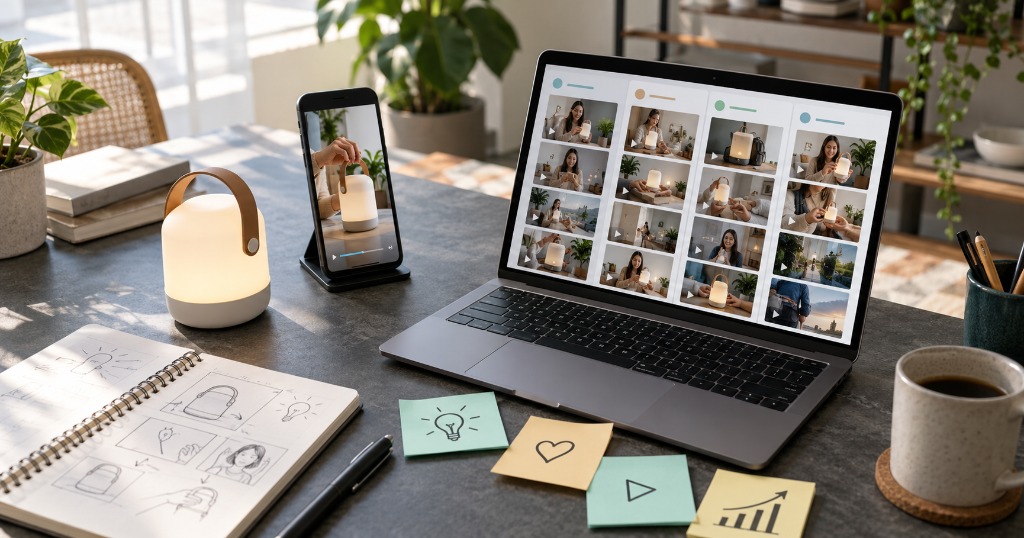
A UGC video generator can turn product assets and a brief into a creator-style ad draft. It cannot tell you which reference is worth using, whether the product claim is true, or who owns the source footage. Those decisions happen before anyone presses Generate. A small, well-labeled reference library makes the work faster because you can point to a useful hook or demonstration instead of asking the tool to produce something vaguely "viral".
This guide is for marketers, sellers, and creators collecting examples before making AI UGC video ads. It covers how to save references, what to record about each one, how to turn a pattern into an original brief, and where a generator fits. The sample product below is hypothetical. No performance results or hands-on product tests are implied.
What a UGC video generator can and cannot do
An AI UGC video generator makes creator-style video from inputs such as a product image, listing link, script, or reference clip. It may help with scenes, captions, pacing, and a spoken track. That output can resemble user-generated content, but it is not a customer's personal account merely because it looks informal. If a synthetic presenter says they purchased a product, the statement needs to be true of a real endorser; a plausible face does not supply the missing experience.
A playlist has a different job. My Playlist lets users save public video links into playlists and, where supported, keep a personal library copy. Its site distinguishes a playlist link from a stored MP4 copy. This is useful for research and retrieval, not video generation. You can use it to remember which clips illustrate a good opening, a clear product demonstration, or a weak call to action. The service's support and plan limits can change, so check its current terms before relying on a particular platform or storage allowance.
Keeping these jobs separate is a relief. You do not need one sprawling tool to capture ideas, evaluate them, make new footage, and approve the ad. You need a traceable path from reference to brief to draft.
Search for a question, not a look
Most reference folders become junk drawers because every clip is saved as "good ad." That label says nothing about why it was good or whether it fits your product. Start with a buyer question: Will this fit in a small bag? How does it attach? What comes in the box? How loud is it during use? A useful reference shows how another video answers a comparable question on screen.
Imagine selling a reusable water bottle with a narrow opening. You could collect ten polished lifestyle clips and still learn nothing about whether the opening is easy to clean. A modest handheld demo showing a bottle brush entering the opening is more useful, even if its lighting is plain. The research goal is to find a mechanism you can adapt: a sequence of shots that makes an answer visible.
TikTok's Creative Codes recommend vertical framing, room for the app interface, and a hook-body-close structure. That framework helps you annotate references. It does not make someone else's script or footage yours to reuse. Separate the structural observation from the actual creative expression.
Build a reference library you can search later
Make a few playlists based on the job each clip does. "Problem shown in first shot," "hands-on proof," "objection answered," and "clear product close" are more actionable than a single "UGC inspiration" bucket. If your team has several product categories, add a category label inside the note, not a duplicate playlist for every SKU.
For each saved video, record a compact card alongside the link:
| Field | What to write | Why it matters |
|---|---|---|
| Buyer question | "Does this cap leak in a tote?" | Gives the ad a real purpose |
| Opening | What the viewer sees or hears first | Lets you compare hooks without copying wording |
| Proof moment | The exact action that supports the claim | Identifies the scene you must reproduce with your own product |
| Product detail | Shape, material, label, or size that must stay accurate | Prevents a convincing but wrong AI render |
| Ending | Where the viewer is asked to go next | Keeps the ad and destination connected |
| Rights note | Owned, licensed, or inspiration-only | Stops a reference file from being mistaken for an approved asset |
Organizing notes and files
Keep notes plain. "At 0:05, the creator turns the bottle upside down over a sink" is more useful than "great energy." If you later decide to test a leak-proof claim, you know exactly which action needs a real, documented demonstration. A clip with attractive lighting but no product proof can stay in the library; it simply belongs in a different pile.
My Playlist is suited to the capture step because it accepts public video URLs and keeps playlists accessible across devices, according to its product description. It also offers library copies for supported links. A copied file can make frame-by-frame research easier, but keep the source URL and rights note with it. Do not assume that a copy remains available forever, that a source platform permits every use, or that a saved video can be republished as an ad.
Cut the shortlist before writing the prompt
You do not need a hundred references for one SKU. Review a small shortlist against the product's actual evidence. A practical scorecard has four questions: Does the reference solve the same buyer problem? Can you show the proof with your own product? Can your brand say the claim honestly? Can you make a distinct version without borrowing the creator's protected material?
Suppose three bottle clips survive the first pass. One opens with a bag full of wet notebooks, one compares two lids side by side, and one begins with a cleaning brush. If your product team can only verify the cleaning feature, choose the brush structure. The dramatic leak setup would pull you toward a claim you cannot support. This is where a reference library saves money: it prevents a beautiful but unusable render.
Write a source sheet for the SKU before using any AI UGC creator. Include the current product variant, approved photos, measurements you can document, claims the team has cleared, and the actual listing URL. If the product photo shows one cap while the live listing sells another, fix that mismatch first. A generator will not notice the commercial problem just because it can draw a plausible cap.
Turn a pattern into an original ad brief
The brief should describe what the new video must do, not instruct the tool to duplicate a person. For the bottle example:
Buyer question: Is the narrow opening hard to clean?
Opening: Show a hand holding the bottle beside an ordinary bottle brush.
Proof: Demonstrate the actual brush entering the real opening; use approved footage for this shot if generated motion cannot show it faithfully.
Supporting scene: A simple close-up of the cleaned bottle on a kitchen counter.
Claim: State only what the demonstration and product documentation support.
Next step: Send viewers to the listing for dimensions and care instructions.
Understanding permissions and UGC disclosure
Notice what is missing: the original creator's lines, face, voice, camera framing, and music. You have retained the useful question-and-proof pattern without treating a download as a license. The U.S. Copyright Office explains that permission for someone else's material generally comes from the rights holder in its guide to obtaining permission. If you need to use a clip, voice, likeness, or script itself, resolve rights with the relevant owner first.
This is also where the language of UGC matters. Real UGC is made by a real user. An AI-generated ad can be UGC-style, but it should not invent a customer review. The FTC's endorsement guidance says endorsements must reflect honest opinions and must not mislead viewers about a claimed experience or a material relationship. The safest brief lets the actual product demonstration do the persuading.
Make the draft, then inspect it
With a brief and approved assets in hand, a dedicated tool can handle generation. Oumomo's AI UGC video generator describes a workflow that uses product images or a reference video to make a new product-focused clip. Treat that as a production route, not a promise of ad performance or permission to copy a creator. Check current product capabilities and terms before choosing a workflow; this article does not claim that we tested an Oumomo account.
Review the export in two passes. First, watch it on a phone at normal speed. Can you identify the product and the question it answers before the close? Does a caption sit under the app interface? Is the call to action understandable? Then pause every product shot. Compare the label, cap, color, proportions, and demonstrated motion with the approved source images and sample. Generated media can preserve the mood while changing the item.
For paid TikTok ads, check the platform's AI-generated content disclaimer guidance for your placement and market. A disclosure does not repair an unsupported claim; it helps viewers understand how the ad was made. Keep a review record with the source sheet, script version, approval date, rights notes, and final export. If an ad later becomes inaccurate because the SKU changes, you will know which files to replace.
Test the question, not merely the edit
Once one accurate ad exists, vary a single creative decision. For the bottle, keep the same proof shot and destination while testing an opening that starts with the cleaning brush against one that starts with the narrow opening. If you change the offer, product page, proof scene, and music at the same time, the comparison teaches you little.
Record what happened without turning a small test into a universal rule. "The brush-first version drew more destination clicks in this campaign" is an observation. "Brush-first hooks always win" is not. Keep the original references in the playlist, but add a note about which new version you ran, what stayed constant, and which buyer question it addressed. The library becomes a map of decisions rather than a museum of other people's ads.
This closes the loop between research and production. Use My Playlist to keep the references findable. Use an AI UGC video generator to make a distinct draft from an approved brief. Use your own review and campaign data to decide what deserves another iteration.
Keep the useful idea, make a new video
The strongest reference is often the one that makes a buyer's doubt visible. Save it with a note explaining the doubt and the proof, then put the original clip away while you write the new brief. Your ad should be recognizable as your product answering your buyer's question. The generator can accelerate production. The library helps you decide what is worth producing.
Perguntas frequentes
Is My Playlist a UGC video generator?
No. My Playlist saves and organizes public video links and, for supported items, offers a personal library copy. It is a research and watch-later tool. A generator is a separate tool that creates a new video from product inputs and a creative brief.
Can I put a saved video directly into an AI generator?
Only if the tool supports that input and you have the necessary rights for the intended use. A public URL, playlist entry, or downloaded file does not by itself grant permission to reuse footage, a script, a voice, or a likeness in an ad. When in doubt, use the clip as a private planning reference and build your own scene.
What should I save alongside a reference link?
Save the buyer question, the opening, the proof moment, the product details that matter, the ending, the source URL, and a rights note. These fields make the reference useful months later, when the original context is easy to forget.
What is the difference between AI UGC and a real customer testimonial?
AI UGC usually means generated creator-style advertising. A genuine customer testimonial comes from a real person with a real experience. A synthetic presenter should not claim a purchase, result, or personal history that never happened.
How many references do I need before making a UGC ad?
Enough to identify one useful mechanism and reject unsuitable claims. A few well-annotated clips can be more useful than a large unreviewed folder. The goal is an original brief tied to your product, not a quota of saved videos.