Keep My Playlist one tap away
Install the web app on Android, or add the iOS Shortcut to send links here from the Share Sheet.
Android web app
Install once, then choose My Playlist in the Android Share Sheet to start downloading automatically.
Open this page in Chrome on Android, then use Add to Home screen from the browser menu.
Add to the iPhone Home Screen
In Safari, tap Share, then Add to Home Screen.
Share links from iPhone
Add the My Playlist Shortcut so sharing a link from another app starts the download automatically.
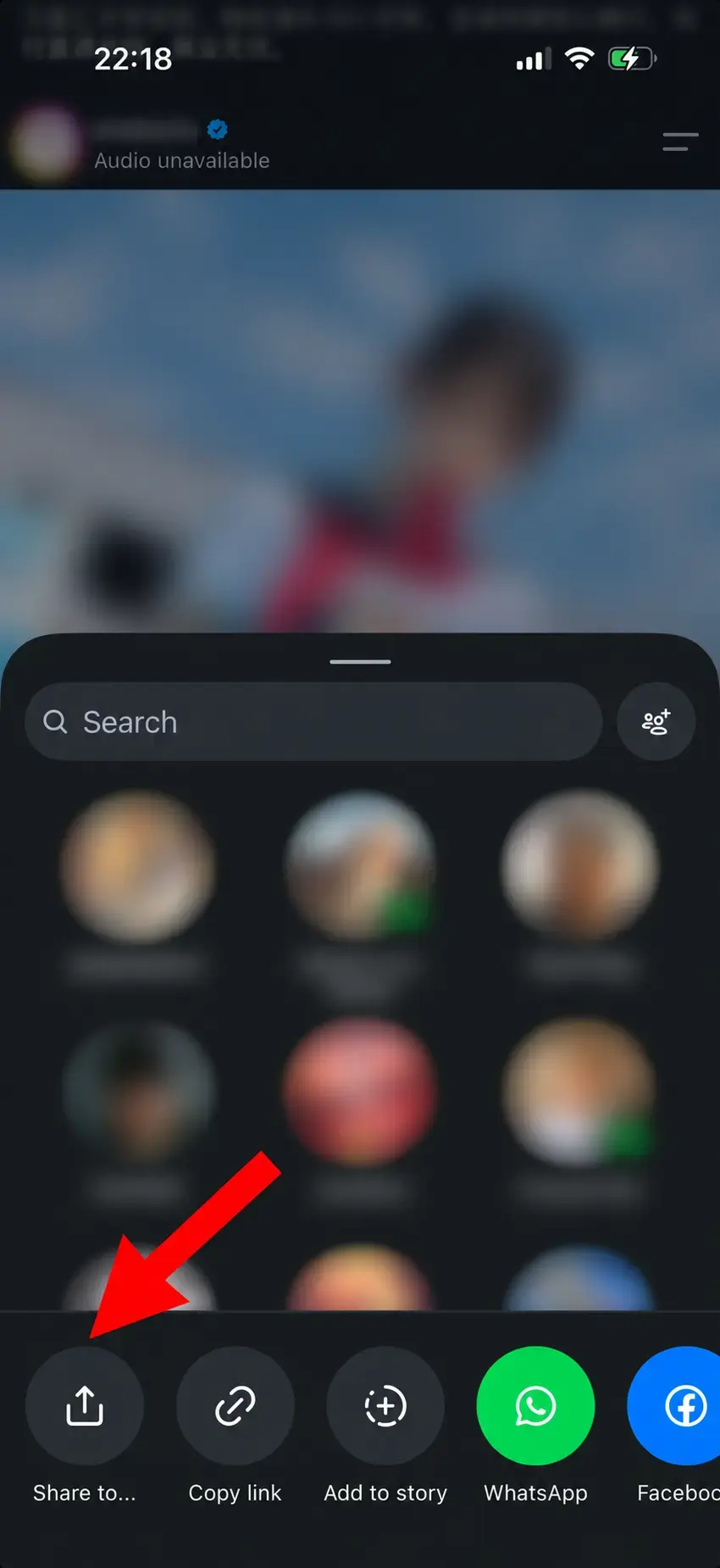
1. In Instagram, tap Share to… at the bottom to open the share options.
2. In the system Share Sheet, choose Save with My Playlist to start the download.
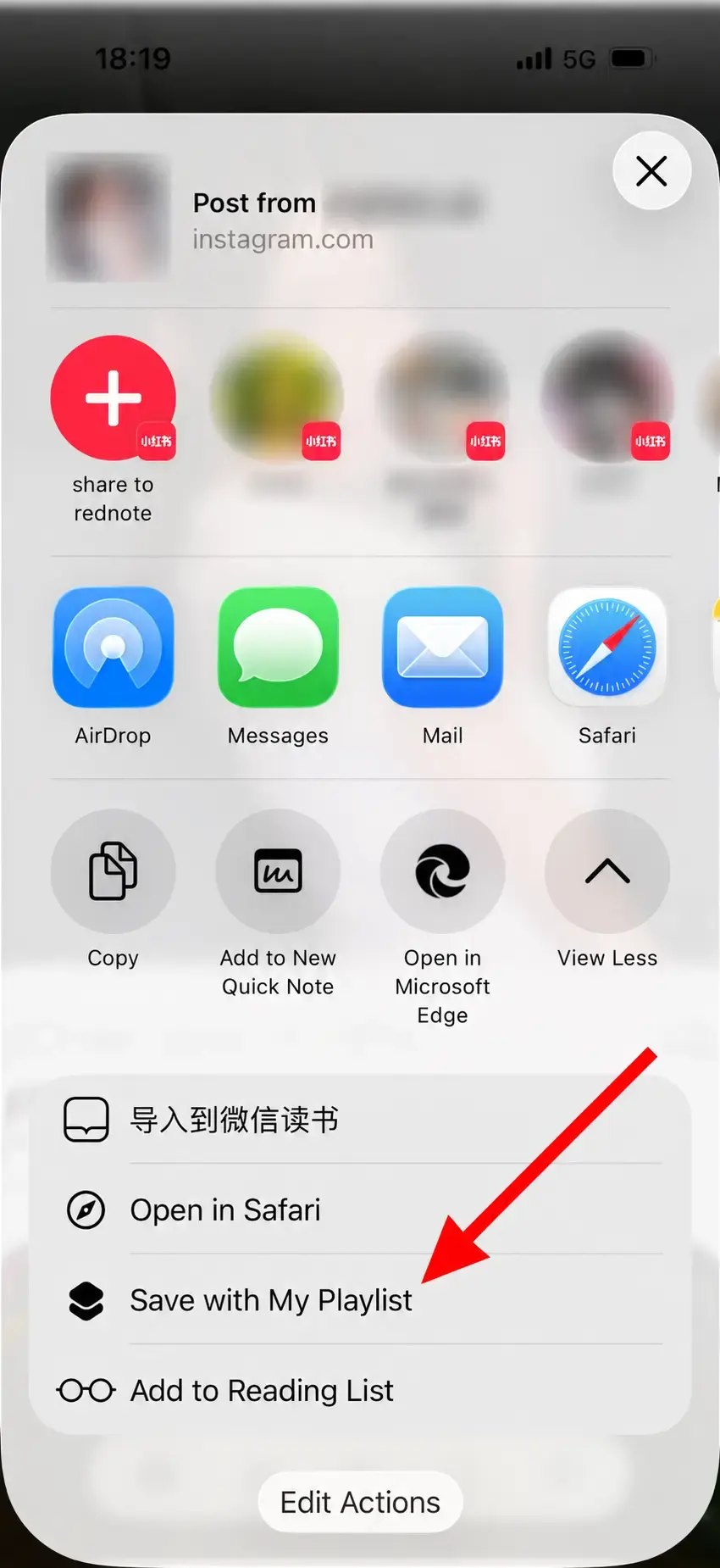
Links shared through the system menu are submitted immediately to start downloading. They are not added to a Playlist or Library unless you choose to save them.